 Recut
How to make a video from text with AI
Describe the clip you want, such as "a slow drone shot over a misty pine forest at sunrise, 8 seconds". Recut picks a strong text-to-video model, shows its price, and puts the clip on your timeline. For something longer, describe the story and Recut plans it as a film: scenes, a clip for each, narration and music, assembled into one video.
Watch it done: A real job, start to finish (0:59).
A 20-second vertical ad for a coffee brand called Dawn: four scenes, warm morning light, a calm narrator, soft music.
Step by step
- Describe the clip or the storySubject, action, camera, light, length and shape (vertical or landscape).
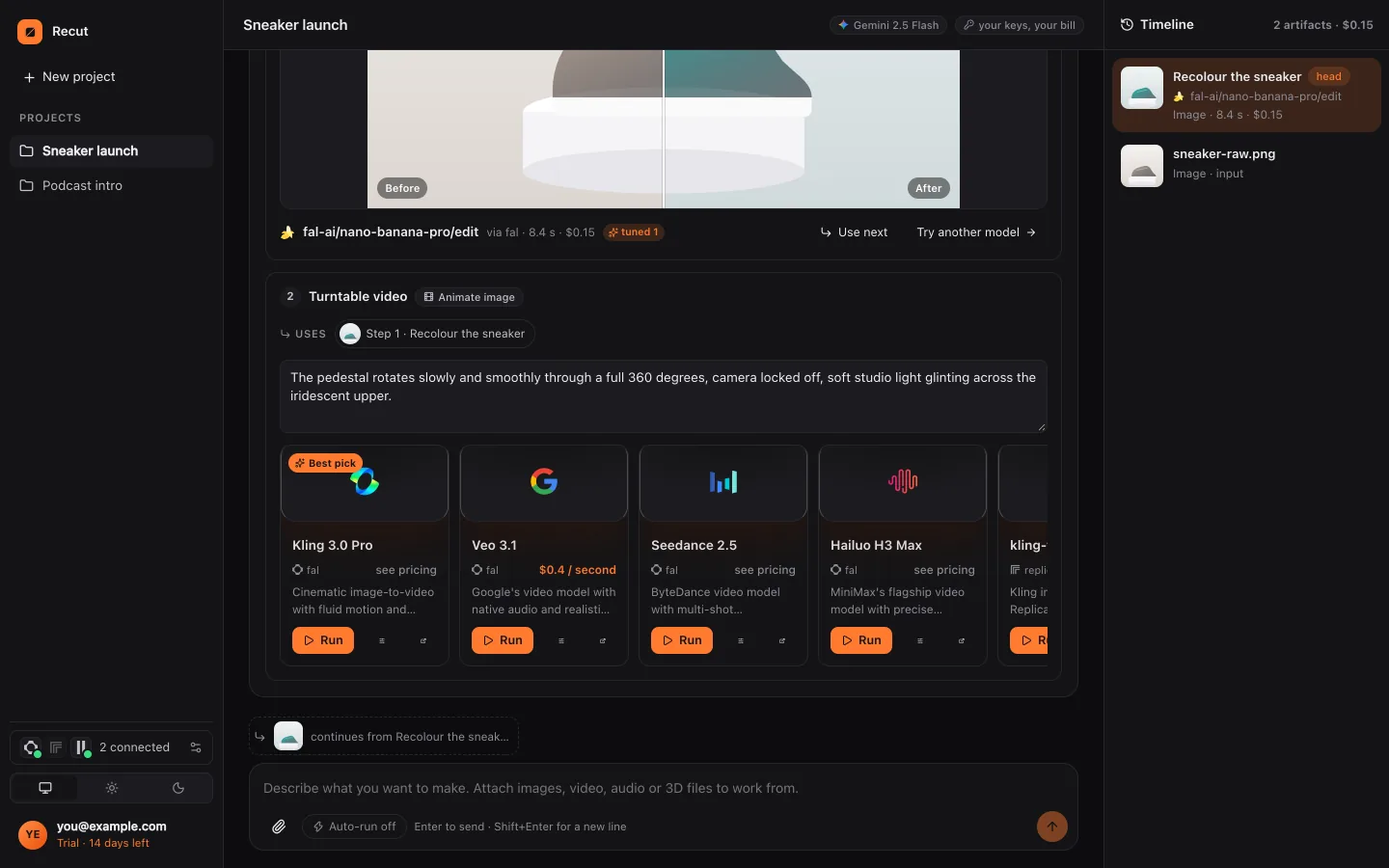
- Check the planRecut lists text-to-video models known to do well (for example Veo, Kling, Seedance, MiniMax, Sora and Wan) with prices. Video models cost more than images, so the price matters.
- Start from a picture for controlFor a consistent look, Recut can make a still frame first and animate it, so you approve the look before paying for motion.
- Run and change by askingPress Run. Ask "slower camera", "different ending" or "swap scene 2" and only that part is redone.
What Recut does
Video models make short clips, often five to ten seconds. For anything longer, Recut plans a film: a style frame, then for each scene a keyframe, a clip and a narration line, then assembles the clips with the narration and music into one video on your device.
Recut searches the fal and Replicate catalogues and providers such as Google, OpenAI and MiniMax for each step and shows the price per step, so you see the whole cost before you press Run.
Tips
- Make one still and approve it before animating: it's far cheaper to fix a picture than a clip.
- Say the camera move ("slow push-in", "handheld", "static"); models follow it well.
- Don't ask a video model for text; add titles and captions with Recut's own text tools.
What it doesn't do
- Each clip is limited to what its model can make, usually seconds, not minutes.
- Models can change faces and objects between clips; reference images help but don't guarantee a match.
- Video generation uses credits or your own provider account; prices are shown before you run.
Questions
Which AI model makes the best videos?
It changes often. Recut lists strong models for each request, such as Veo, Kling, Seedance and Sora, with prices, and you can try more than one.
Can I make a long video from text?
Yes, as a film of several scenes that Recut plans and assembles.
Can I add a voiceover and music?
Yes. Recut adds narration and music steps and mixes them under the clips.
Try it on your own video
Recut runs in your browser, on Mac, Windows and Android. Start a 14-day free trial, attach a file and say what you want.
Open Recut in your browserRelated guides
- How to make a short video ad with AI from a promptDescribe the ad in one sentence and Recut plans the scenes, makes each clip, the narration and the music, and assembles one finished video.
- How to turn a photo into a video with AIAttach a photo, describe the motion, and Recut animates it with an image-to-video model such as Kling, Veo or Seedance, priced before you run.
- How to add an AI voiceover to a videoPaste a script, pick a voice, and Recut reads it with an AI voice model and lays the voiceover on your video, with music turned down under it.
- How to make music for a video with AIDescribe the mood and Recut composes a track with a music model (ElevenLabs, MiniMax, Lyria and more), then mixes it under your video.