 Recut
How to edit a photo with AI by describing the change
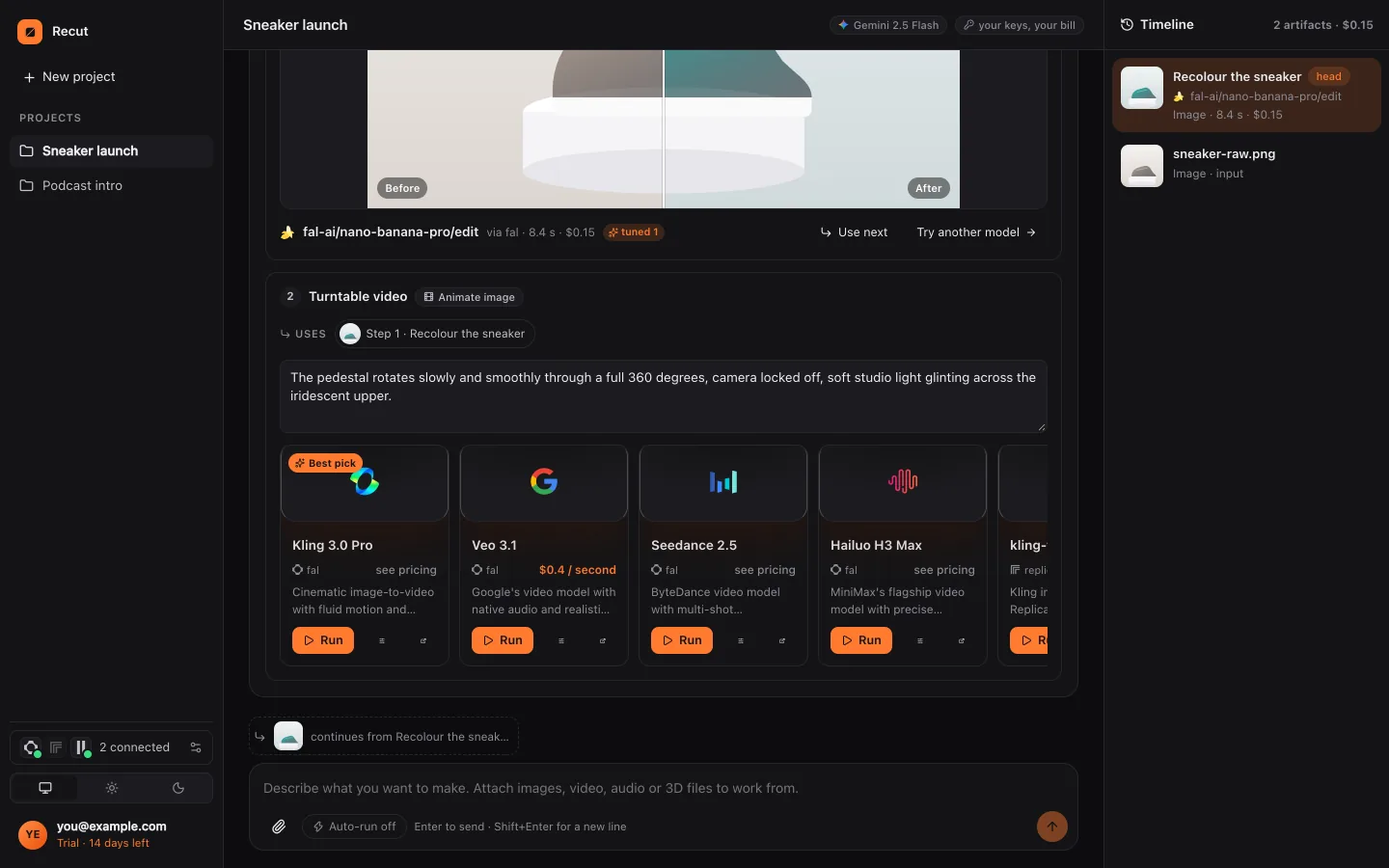
Attach the photo to Recut and type the change as you would say it to a designer: "make it look like golden hour", "swap the red jacket for a blue one", "remove the glare on her glasses". Recut picks an image-editing model for the job, shows its price, and puts the edited photo next to the original.
Make this photo look like it was taken at golden hour, and remove the sign behind him.
Step by step
- Attach one photo or severalAdd the photo to a Recut project. Some editing models can combine several images, such as a product and a scene, if you attach both.
- Describe the editSay what to change and what to keep. One message can hold several edits; Recut turns them into steps.
- Look at the planEach step shows its model (for example Nano Banana Pro, GPT Image, Seedream, FLUX or Qwen Image Edit) and its price. Nothing runs until you press Run.
- Ask for changesNot quite right? Say "less orange" or "try another model". Every version stays on the timeline so you can go back.
What Recut does
Recut is an AI creative agent rather than a photo app with tools. It reads your request, matches it to a job (edit, upscale, remove background, restore, resize) and searches the model catalogues of fal, Replicate and providers such as Google and OpenAI for the models that do that job well, best first.
Plain jobs that don't need a model run on your own device for free: cropping to a shape, padding, resizing, converting between PNG, JPG and WebP, and placing a logo on an image.
When a photo is edited, Recut writes a precise instruction for the model, including what must stay unchanged, so you don't need to learn prompt tricks.
Tips
- Edit in small steps when the change is big: first the light, then the background, then the clothes. It's easier to undo one step.
- Say "keep the face exactly the same" when editing portraits.
- When you're happy, ask for the sizes you need (square, 4:5, 9:16) in the same chat.
What it doesn't do
- AI edits are generated, not retouched by hand: small details can change, so keep the original.
- Recut won't make see-through or revealing edits of people's clothing, whatever the wording.
- Model edits cost credits or are billed by your own provider account; the price is shown first.
Questions
Do I need to know how to write prompts?
No. Describe the change in everyday words; Recut writes the model's instruction for you.
Which AI models does Recut use for photos?
It searches fal, Replicate and providers such as Google and OpenAI and puts strong editing models first, including Nano Banana Pro, GPT Image, Seedream, FLUX and Qwen Image Edit. You can pick another.
Does Recut work on a phone?
Yes: in the browser on any phone, and in the Android app.
Try it on your own photo
Recut runs in your browser, on Mac, Windows and Android. Start a 14-day free trial, attach a file and say what you want.
Open Recut in your browserRelated guides
- How to change the background of a photo with AIDescribe the new background and Recut uses an image-editing model to put your subject there, keeping the person or product as it was.
- How to remove an object or person from a photoSay what to take out (a bin, a stranger, a power line) and Recut uses an image-editing model to remove it and fill the gap to match.
- How to upscale an image to 4K with AIMake a small or soft image bigger and sharper: Recut runs an upscaling model such as Topaz, Clarity or SeedVR and shows the price first.
- How to generate an image from text with AIDescribe the picture and Recut picks a text-to-image model (Nano Banana Pro, GPT Image, Seedream, FLUX, Imagen and more) and shows its price first.